
Supermarket and kirana billing software
Sell rice by the kilo and biscuits by the packet on the same bill. Weighing-scale barcodes, MRP savings on every bill, expiry dates and fast keys for the items you sell a hundred times a day.
- Supermarkets
- Kirana stores
- Grocery stores
- Mini-marts
- Departmental stores
- Dry-fruit and spice shops
- Organic stores
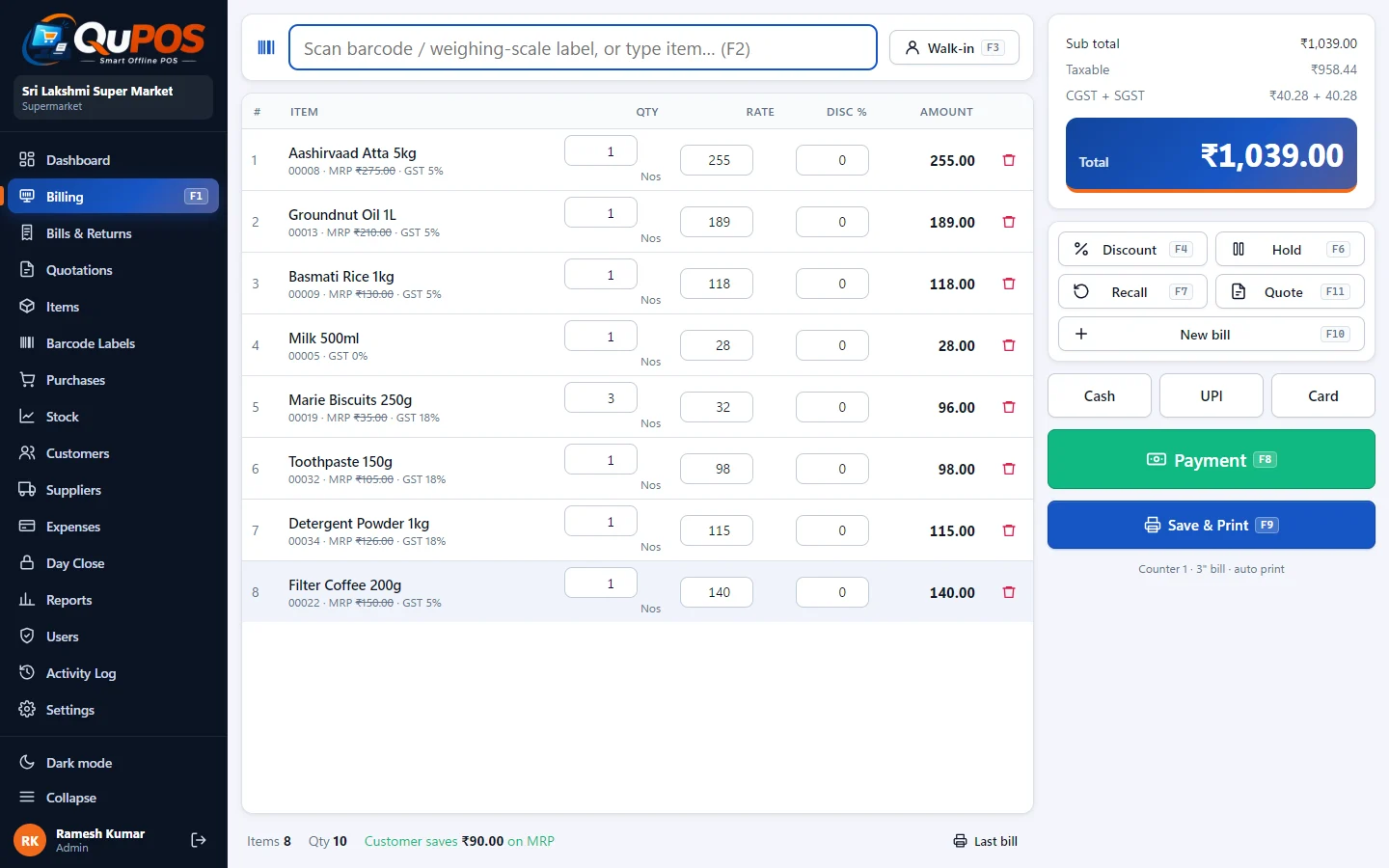
A grocery counter mixes packaged goods with a maker barcode, loose items sold by weight, and fast movers like milk, bread and eggs that nobody wants to search for. The Supermarket business type in QuPOS is set up for exactly that: quantities in kg and g, weighing-scale barcodes that start with the 2x prefix, and fast-moving item keys.
Customers at a supermarket compare prices with MRP. QuPOS prints MRP next to your selling price and a "You saved ₹x" line at the bottom of the bill, which is a simple way to show value at every checkout. Expiry dates on items help you clear old stock before it becomes a loss.
What Supermarket mode gives you
Loose items by weight
Sell in kg or g with decimal quantities, priced per kilo. 250 g of dal is billed as 0.25 kg at the kilo rate.
Weighing-scale barcodes
Labels printed by a label-printing weighing scale (barcodes with the 2x prefix) are read at the counter, so the item and weight come in with one scan.
MRP and savings on the bill
Show MRP against your price and print "You saved ₹x" on the bill.
Expiry dates
Record expiry dates on items so short-dated stock is easy to spot and push.
Fast-moving item keys
One-touch keys for milk, bread, eggs, sugar and other items you bill all day.
Several counters, one stock
Run two or more billing counters on a LAN with Microsoft SQL Server Express so stock and reports stay in one database.
Getting started
Choose Supermarket in the first-run wizard.
Import items from CSV, marking loose items with unit kg or g.
Set your weighing scale to print barcodes with the 2x prefix and the same item code.
Bill: scan packets, scan scale labels, tap fast keys. The customer sees MRP savings on the bill.
Also included
- Keyboard shortcuts: F2 search, F8 pay, F9 save & print
- 2-inch, 3-inch, A4, A3 and PDF bills
- GST (CGST/SGST or IGST) or VAT
- Purchases, returns, customers, suppliers, expenses
- Reports with CSV export
- SQLite or SQL Server for several counters
- Automatic daily backup
Supermarket billing questions
Can I sell rice, sugar and dal loose by weight?
Yes. Set the item unit to kg or g and type the weight at billing, or scan the label printed by your weighing scale.
Which weighing scales are supported?
Label-printing scales that print EAN-13 barcodes with the 2x prefix (the common format for weight-embedded barcodes). See the weighing-scale barcode guide for setup.
Can the bill show how much the customer saved?
Yes. When the selling price is below MRP, the bill can show MRP per line and a "You saved ₹x" total.
Can two counters bill at the same time?
Yes. Install QuPOS on each counter and point them all at one Microsoft SQL Server or SQL Server Express database on your LAN. Each PC needs its own licence.
Try Supermarket mode free for 30 days
Download QuPOS and use every feature free for 30 days. Like it? Keep it forever for ₹1,500.